Launch Your Fungible Token (no-code)
What Is Vara Fungible Token (VFT)?
Vara Fungible Token (VFT) is the Vara network's equivalent of Ethereum's ERC-20 standard. You can find detailed specifications above.
For use with the Vara↔Ethereum Bridge, an extended version of the VFT standard is utilized, which includes additional methods beyond the base spec.
This guide shows you how to launch a fungible token on the Vara network from the pre-compiled code while preserving your ownership and admin rights over it.
How to Upload the VFT to Vara
Prerequisites
- A Vara account using any Substrate-compatible wallet (e.g., SubWallet, Polkadot.js extension).
- A small amount of VARA tokens to pay gas fees on the Vara Mainnet.
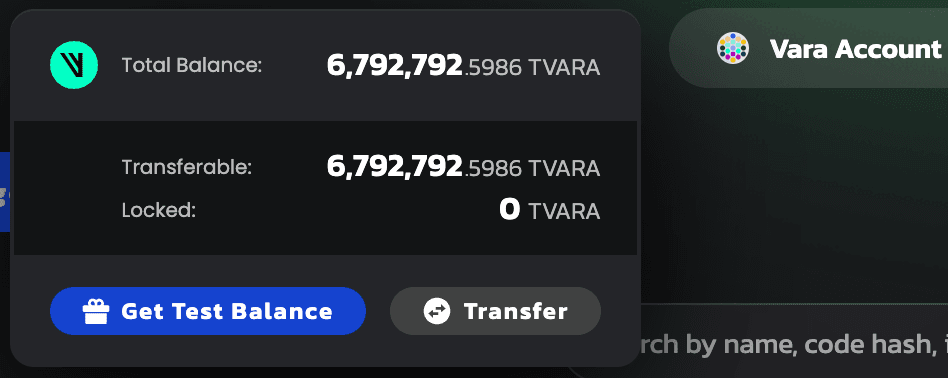
- On the Vara Testnet, you can get free TVARA from the Gear IDEA testnet:
- Click the Balance button (top-right).
- Then click Get Test Balance.
Uploading the VFT Program
To simplify the process, the VFT code is already deployed to the network. You just need to instantiate a program from it.
- Open the VFT Code Page: VFT Code on IDEA Platform
- Scroll down and click Create Program.
- Fill in the required parameters (see example on the page):
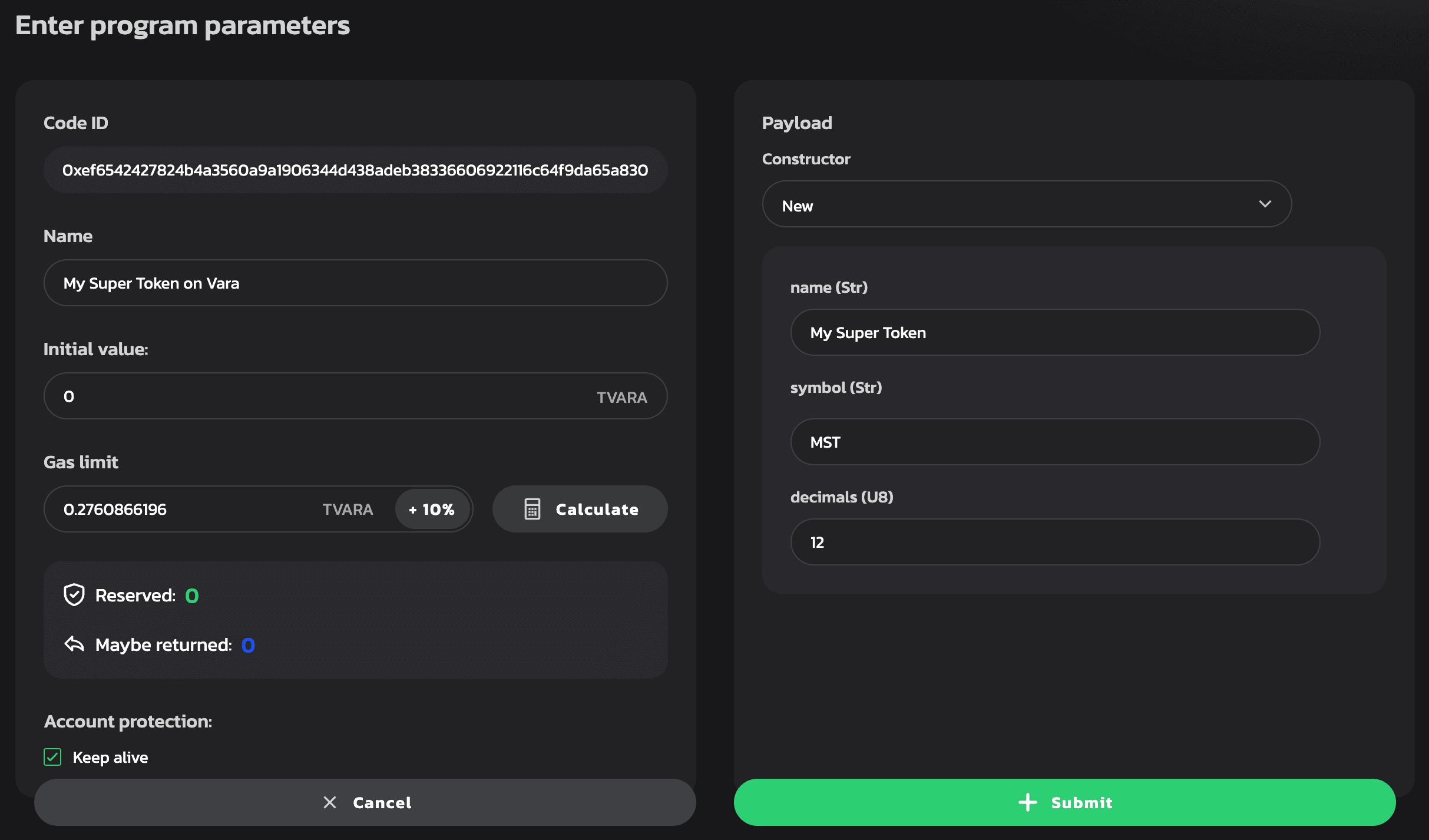
- Click Calculate (gas) and then Submit.
- Sign the transaction in your wallet—your fungible token is now live on the Vara network!
Finalizing Setup for Bridge Compatibility
To ensure compatibility with the bridge and other tools, you must send two additional messages to the program:
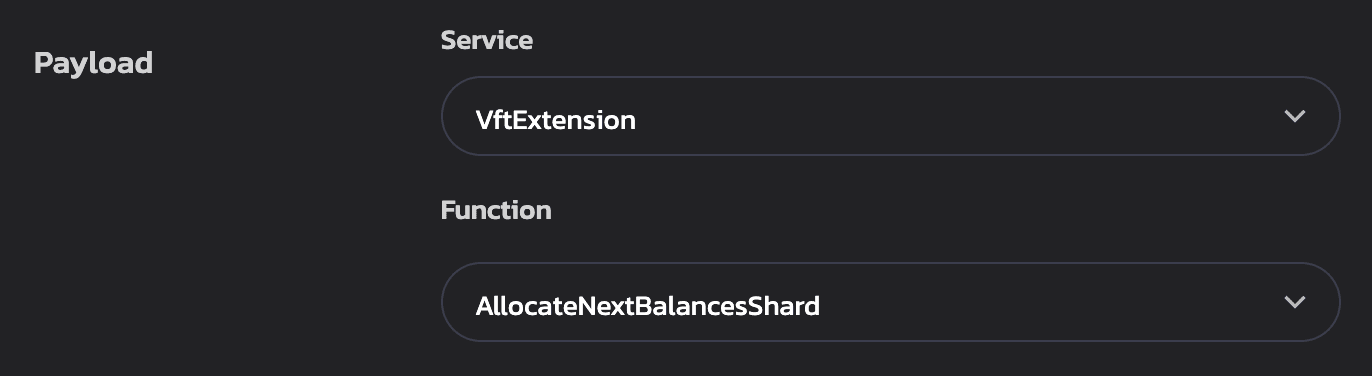
First message:
- Click Send Message
- Service:
VftExtension - Function:
AllocateNextBalancesShard - Click Calculate, then Send Message
- Sign the transaction
Second message:
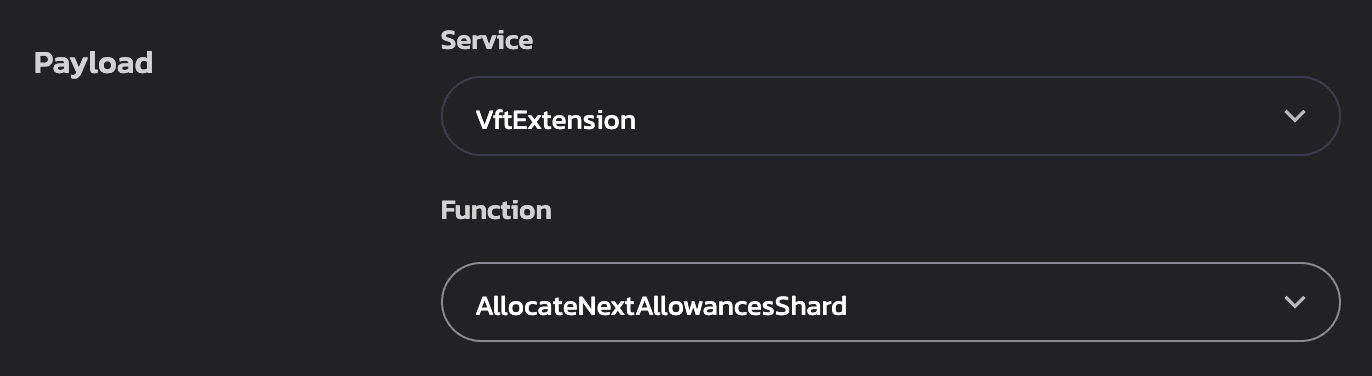
- Click Send Message again
- Service:
VftExtension - Function:
AllocateNextAllowancesShard - Click Calculate, then Send Message
- Sign the transaction
What's Next?
- Your deployed token will appear in the Programs tab.
- It can also be accessed directly via its on-chain address (e.g., 0x2291a95a56293a51227ff2f18931d5439175cf98adc7cdbef24110d4e88d998b).
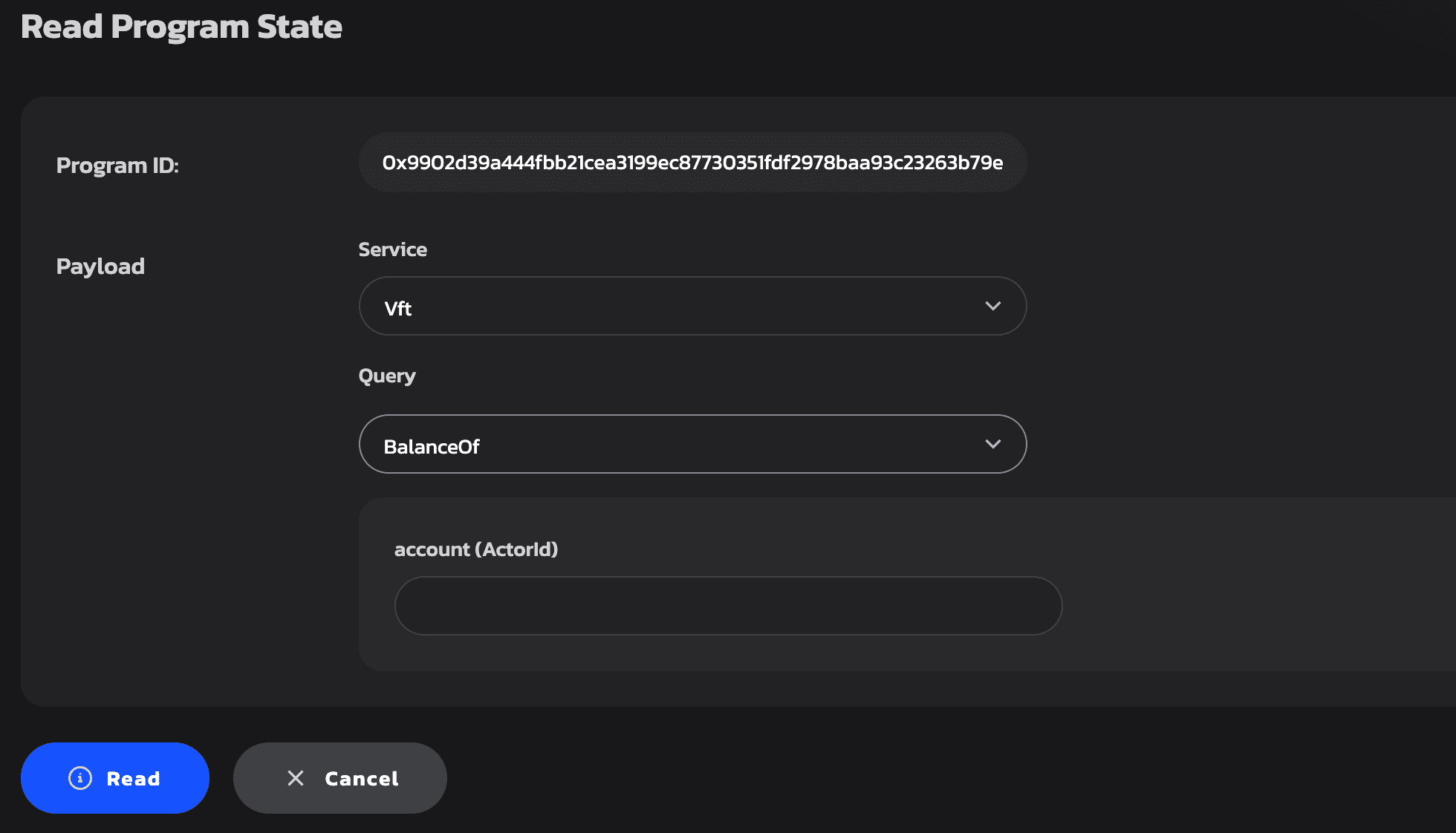
- To inspect its current state, go to Read State, select the appropriate Service and Query function.
Admin Capabilities
As the creator (admin), you can now send privileged messages to the contract to:
- Mint or burn tokens
- Add or remove other admins
- Assign user roles or permissions
- Configure token parameters
- Intergrate to your application
This gives you full control to manage the token as needed.