Manual Message Bridging
This guide describes how to manually push a message across the bridge between Vara network and Ethereum network if the Relayer is unavailable. All steps are illustrated for USDT token as an example, but the same process applies to any supported token or arbitrary cross-chain message.
Guaranteed Delivery
If the Relayer is unavailable, any bridging message remains safely stored on-chain.
No message is lost—manual relaying can be used at any time to finalize the process and complete the delivery.
Verify Contract Addresses
Crucial: Always verify all contract addresses before initiating a bridge transaction.
The addresses provided in this guide are for current test deployments. For both Testnet and Mainnet, you can find the most up-to-date official addresses in the Vara Bridge Developer Hub.
Bridging Ethereum → Vara
1. Approve Token Transfer
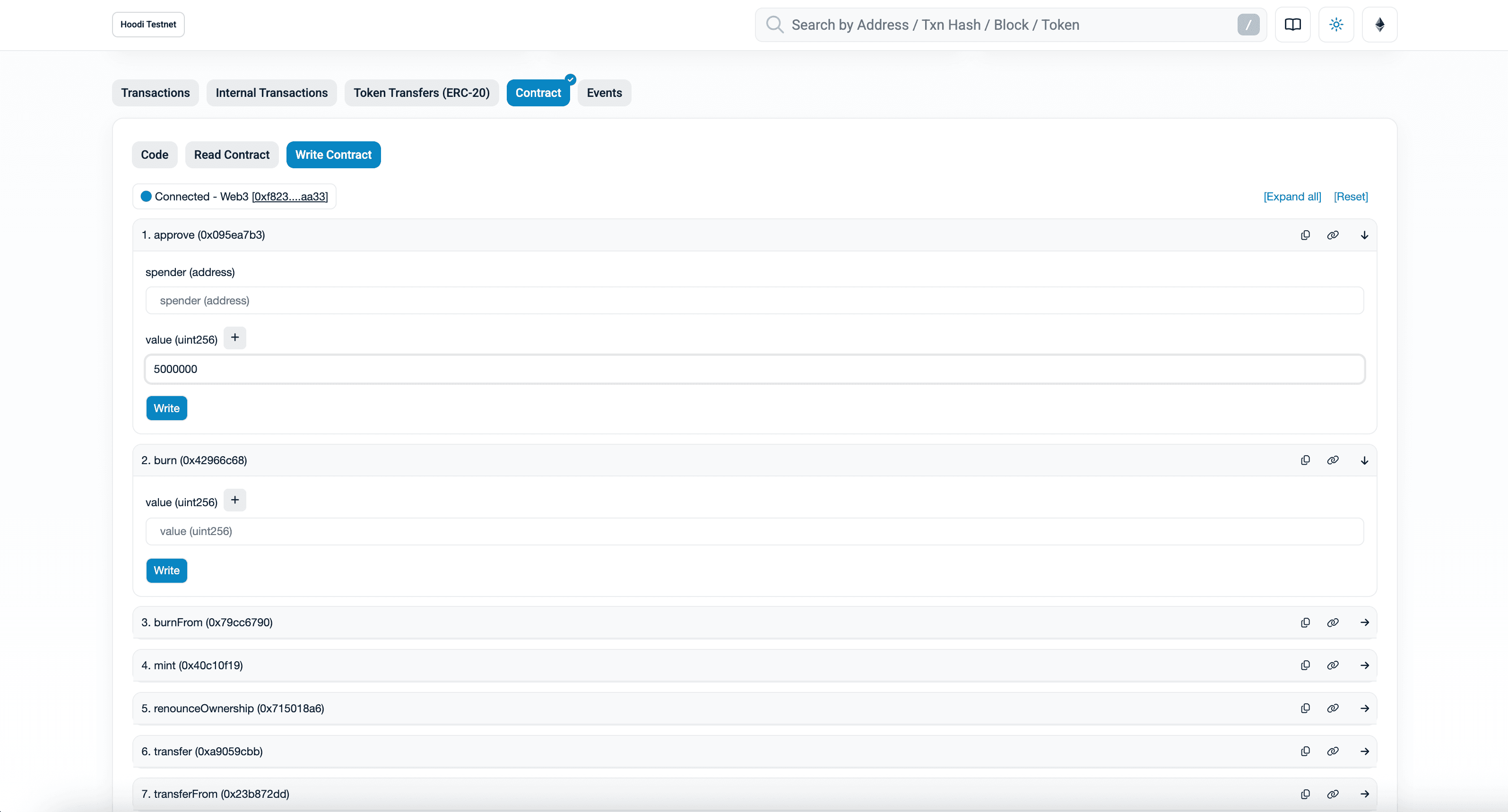
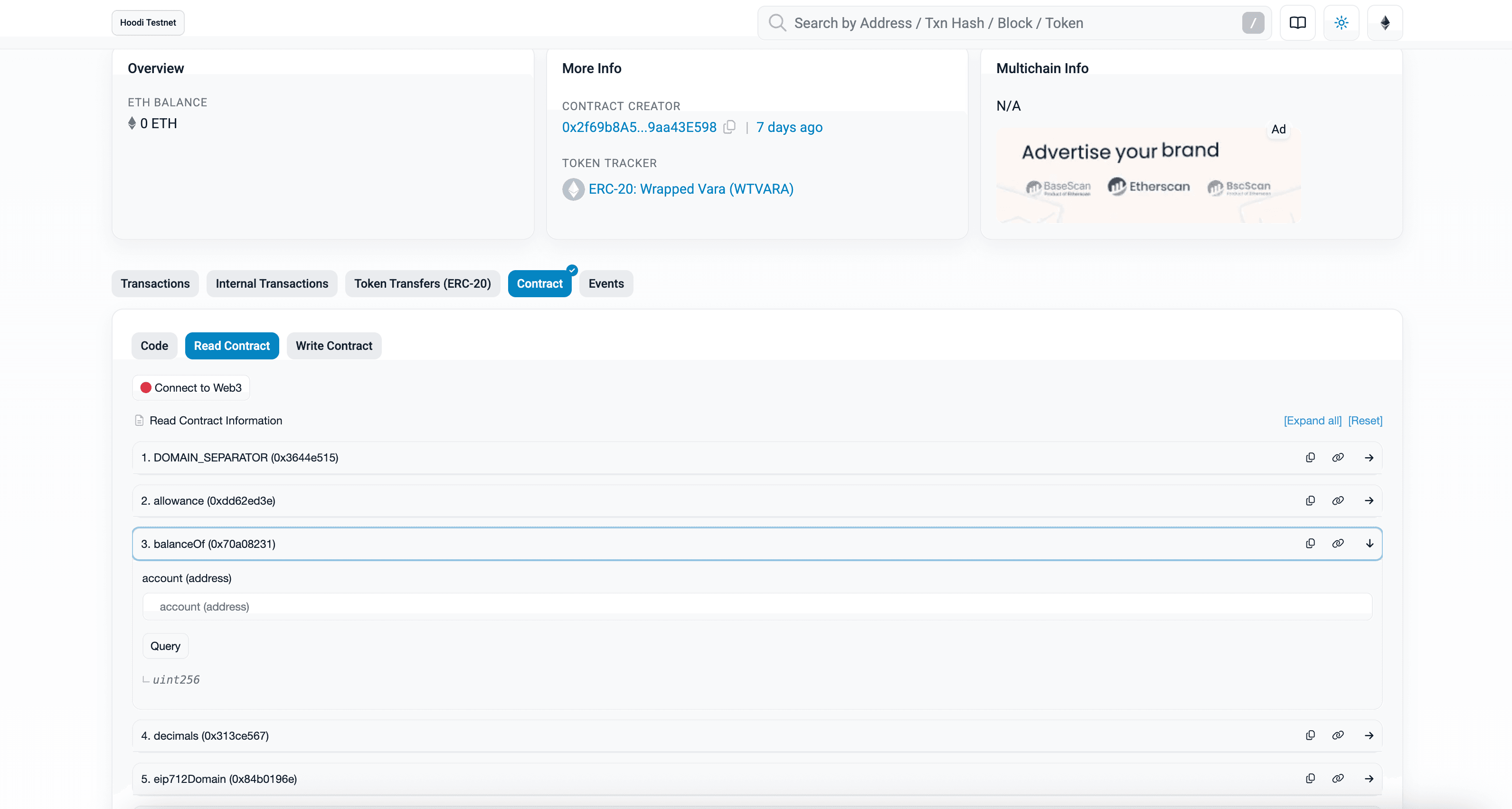
- Open the test USDT contract on Hoodi Etherscan.
- Go to Contract → Write Contract tab.
- Click Connect to Web3 and select a wallet with sender’s account.
- Use the
approvemethod:- spender:
0xD2a0951DBCfdA8de36Ab315A57C30F0784d01342(Erc20Manager Proxy address on Hoodi) - value: Amount to transfer (USDT uses 6 decimals, so
1 USDT = 1_000_000,5 USDT = 5_000_000)
- spender:
2. Initiate Bridging
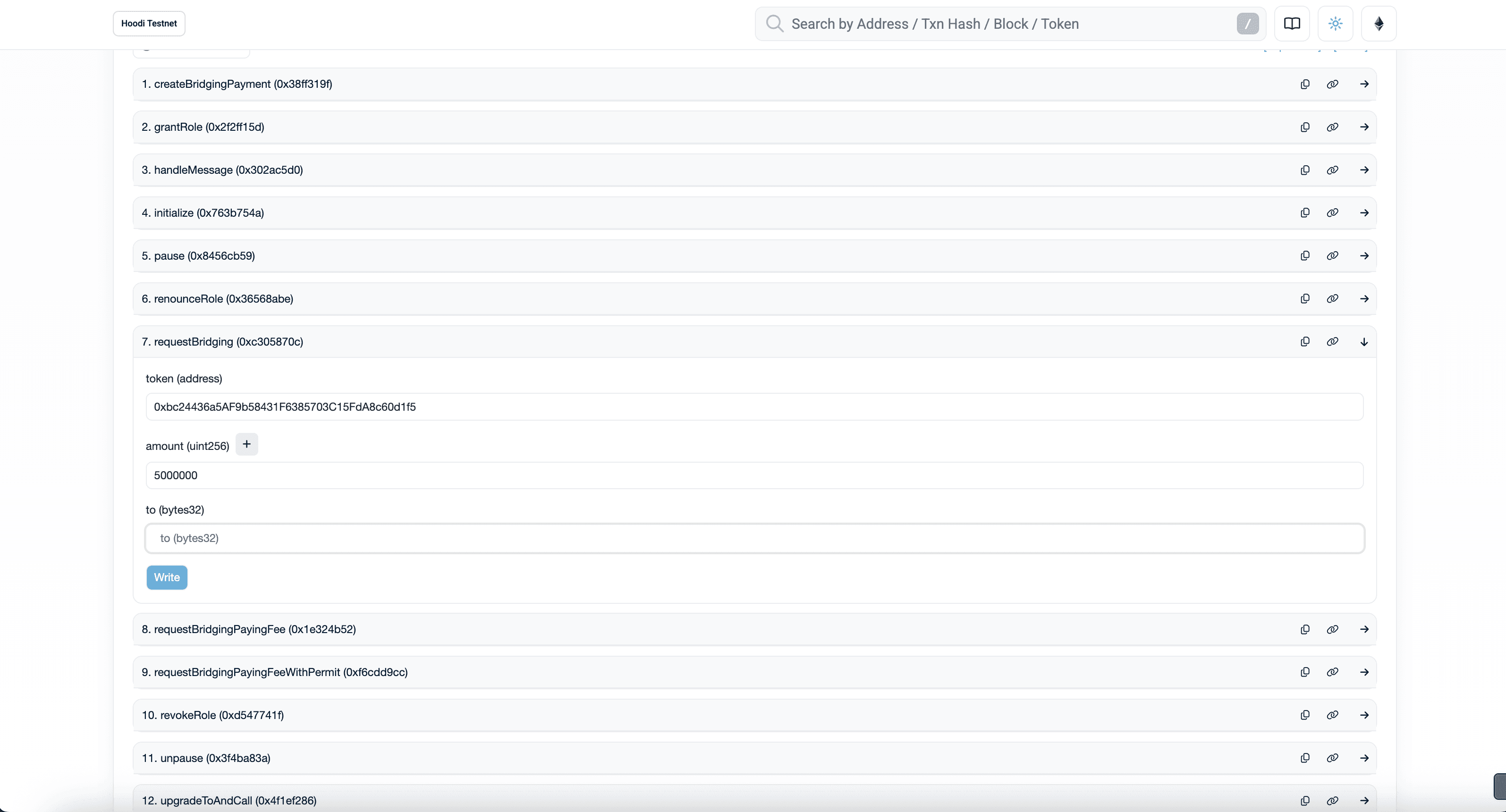
- Open Erc20Manager Proxy contract on Hoodi Etherscan.
- Go to Contract → Write as Proxy.
- Connect wallet if needed.
- Use the
requestBridgingmethod:- token:
0x7728A33EBEBCfa852cf7f7Fc377BfC87C24a701A(USDT address) - amount: Same as above or less (≤ approved amount)
- to: Recipient address on Vara (hex string, e.g., convert from SS58 on ss58.org)
- token:
- Send the transaction.
At this point, Erc20Manager emits a BridgingRequested event.
3. Relay Event Data to Vara
The final step is to relay proof of the bridging event from Ethereum to the Vara network. This means providing evidence that the required Ethereum block was finalized and that a transaction containing the relevant event (BridgingRequested) was actually included and executed on-chain.
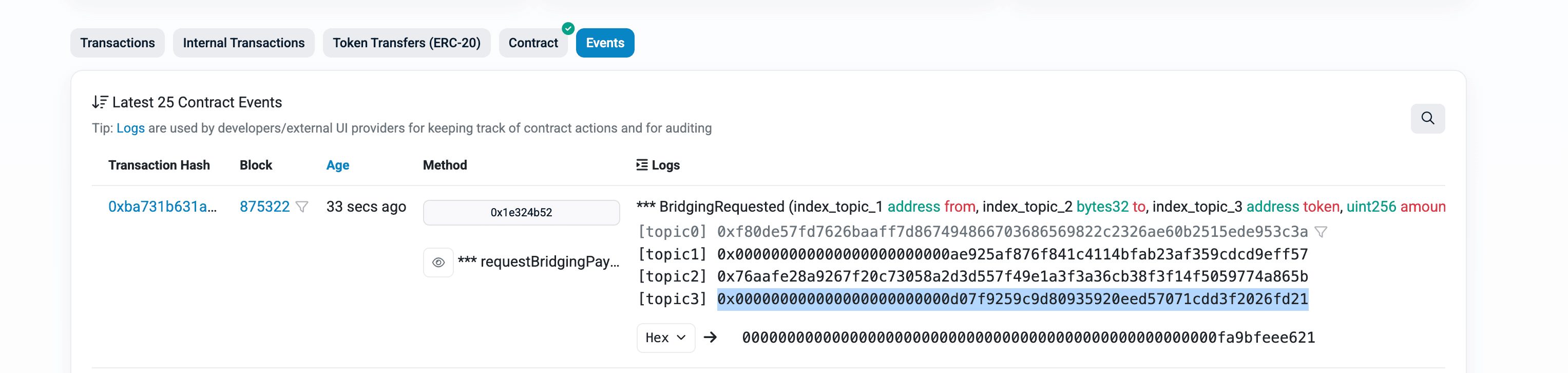
To do this:
- Find the transaction hash that emitted the
BridgingRequestedevent. - This is visible in the event list after submitting the bridging transaction.
- This hash serves as the unique reference to the on-chain proof and will be used by the relayer to gather and submit all necessary data from Ethereum to Vara.
Next, run the Gear Bridge Relayer Docker container, providing it with the transaction hash and other required parameters.
docker pull ghcr.io/gear-tech/bridge-relayer:main.1037c949fb897aa855ec117830747e6fb16749c4Latest Docker images for the Gear Bridge Relayer are published at: https://github.com/gear-tech/gear-bridges/pkgs/container/bridge-relayer
docker run --rm -it --platform linux/amd64 \
ghcr.io/gear-tech/bridge-relayer:main.1037c949fb897aa855ec117830747e6fb16749c4 \
gear-eth-manual \
  --tx-hash <TX_HASH> \
  --checkpoint-light-client ${vara.checkpointLightClient} \
  --historical-proxy ${vara.historicalProxy} \
  --receiver-program ${vara.vftManager} \
  --ethereum-endpoint "wss://hoodi-reth-rpc.gear-tech.io/ws" \
  --ethereum-beacon-rpc https://hoodi-nimbus-rpc.gear-tech.io \
  --gear-domain wss://testnet.vara.network \
  --gear-port 443 \
  --gear-suri "<SUBSTRATE_MNEMONIC_PHRASE>"
Replace <TX_HASH> with your transaction hash.
Replace <SUBSTRATE_MNEMONIC_PHRASE> with the mnemonic phrase for the Vara account that pays for network fees.
Finalization is not Instant
After submitting the proof, the rewarding process requires waiting for the Light Client on Vara to synchronize.
- Timing: This usually takes 15–20 minutes after the bridging transaction is mined on Ethereum.
- Process: The proof can only be submitted and verified on-chain once this synchronization is complete.
- Result: Transferred tokens will appear on Vara immediately after the cross-chain proof is accepted.
Please do not resubmit the transaction during this synchronization period.
To confirm the result, check the state of the wrapped USDT token program on Vara using the balanceOf function.
This can be done on IDEA:
- Click "Read state"
- Select
balanceOf - Enter the recipient address
The updated balance will reflect the received tokens after successful bridging.
Bridging Vara → Ethereum
The bridging procedure from Vara to Ethereum is very similar to the reverse direction described above.
The user interacts with the VftManager program on Vara. The bridging flow consists of the following main steps:
0. (Optional) Tokenize TVARA to VFT
If your tokens are not yet tokenized as VFT (Vara Fungible Tokens), you need to convert your TVARA using the VftNativeExchange::Mint message.
This will mint the desired amount of VFT in TVARA token program.
1. Approve VftManager to Spend Tokens
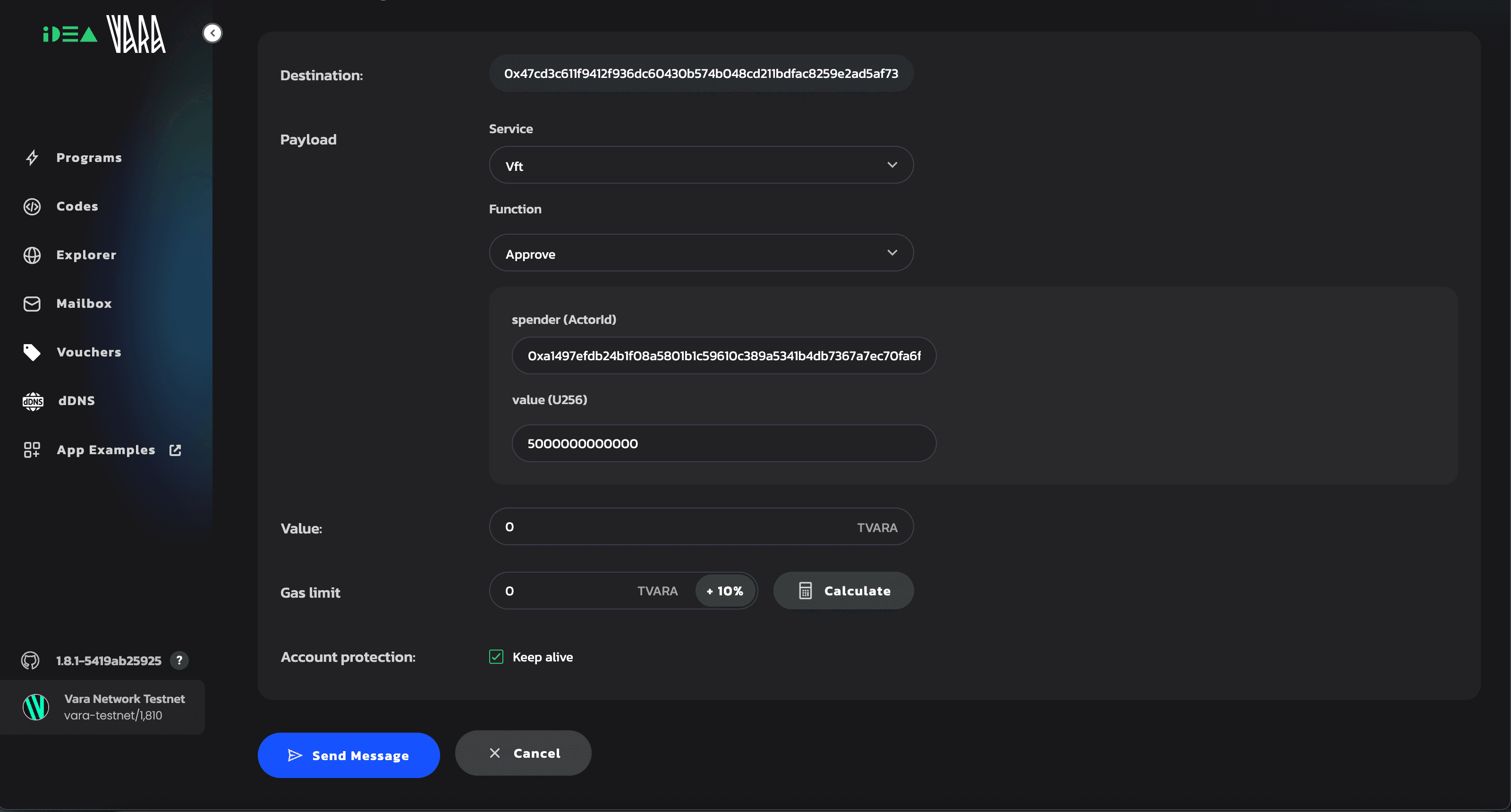
- Open the VFT token contract, e.g., TVARA token program.
- Use the
approvefunction:- spender:
0x39514728b5828eccad02b8f1183e7ccea43849157ed6504c38b28420a85f0d12(VftManager address) - value: Amount to transfer (TVARA uses 12 decimals, so
1 TVARA = 1_000_000_000_000)
- spender:
2. Request Bridging via VftManager
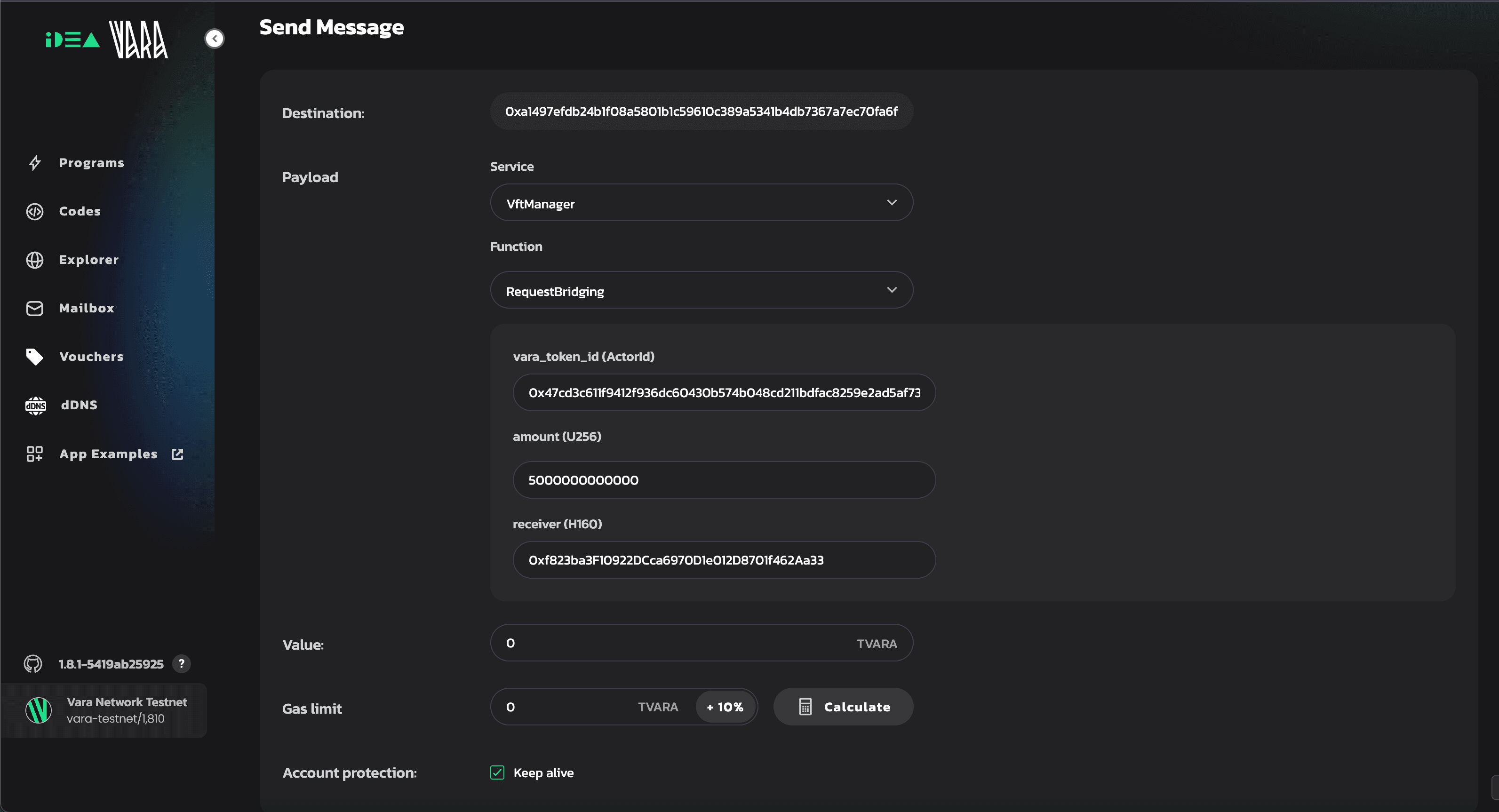
- Open the VftManager program
- Call the
RequestBridgingfunction:- vara_token_id: Address of the token contract (e.g.,
0xd0f89cfd994c92bb743a5a69049609b796e2026e05318f7eef621a5e31df3d4b) - amount: Amount to bridge (must be ≤ approved value)
- receiver: Ethereum recipient address (hex)
- vara_token_id: Address of the token contract (e.g.,
After successful execution of both the approve and RequestBridging steps,
the VftManager program emits a BridgingRequested event containing a nonce and block number.
How to find the event:
- Go to the VftManager program
- Switch to the Events tab to locate the relevant
BridgingRequestedevent and copy thenonceandblockvalues.
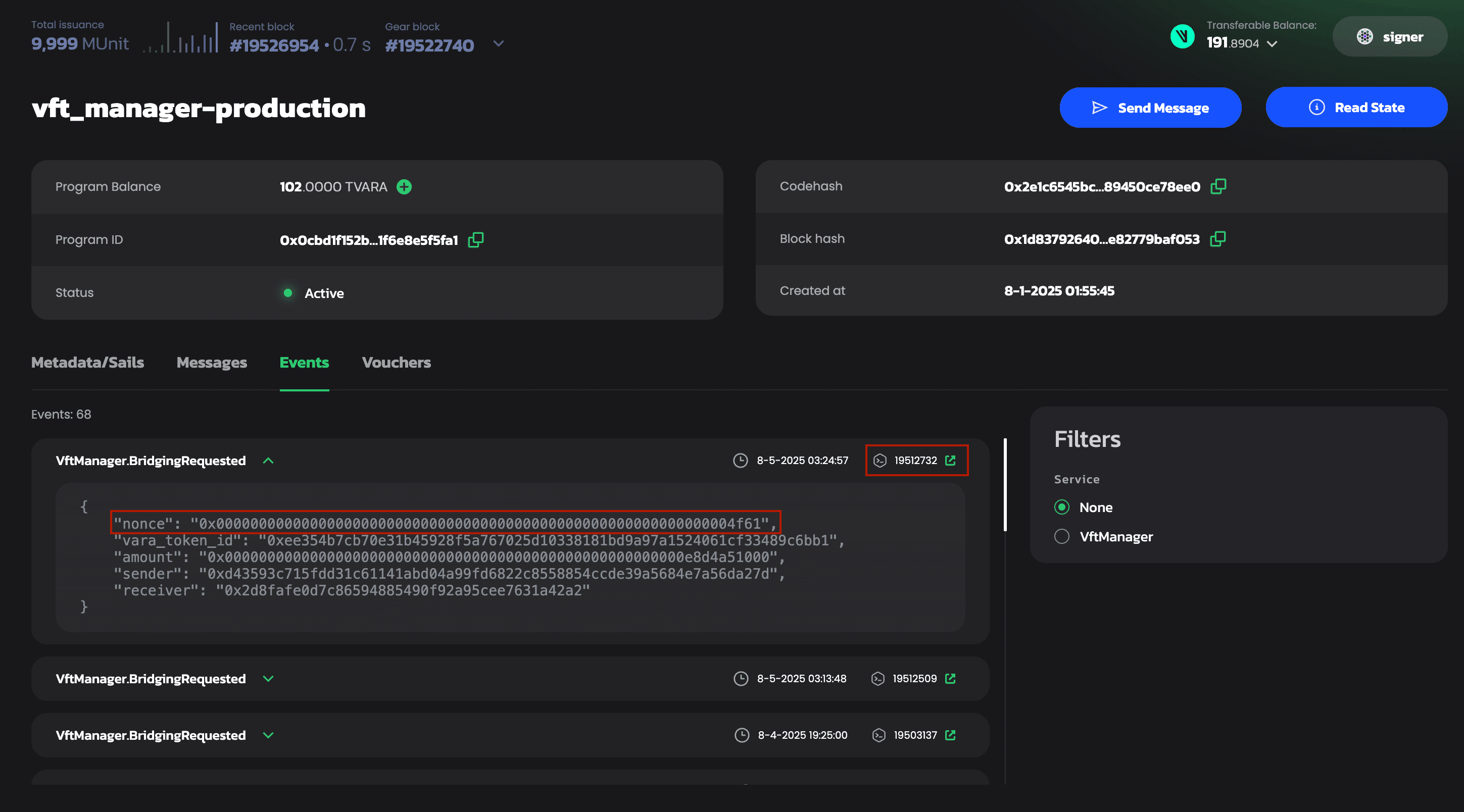
3. Relay Proof to Ethereum
Run the relayer Docker container with the nonce and block values from your BridgingRequested event.
docker run --rm -it --platform linux/amd64 \
ghcr.io/gear-tech/bridge-relayer:main.1037c949fb897aa855ec117830747e6fb16749c4 \
gear-eth-manual \
  --message-nonce "<NONCE>" \
  --message-block <BLOCK> \
  --from-eth-block <ETH_BLOCK> \
  --gear-domain wss://testnet-archive.vara.network \
  --gear-port 443 \
  --ethereum-endpoint "wss://hoodi-reth-rpc.gear-tech.io/ws" \
  --mq-address "${vara.messageQueueProxy}" \
  --eth-fee-payer "<ETH_PRIVATE_KEY>"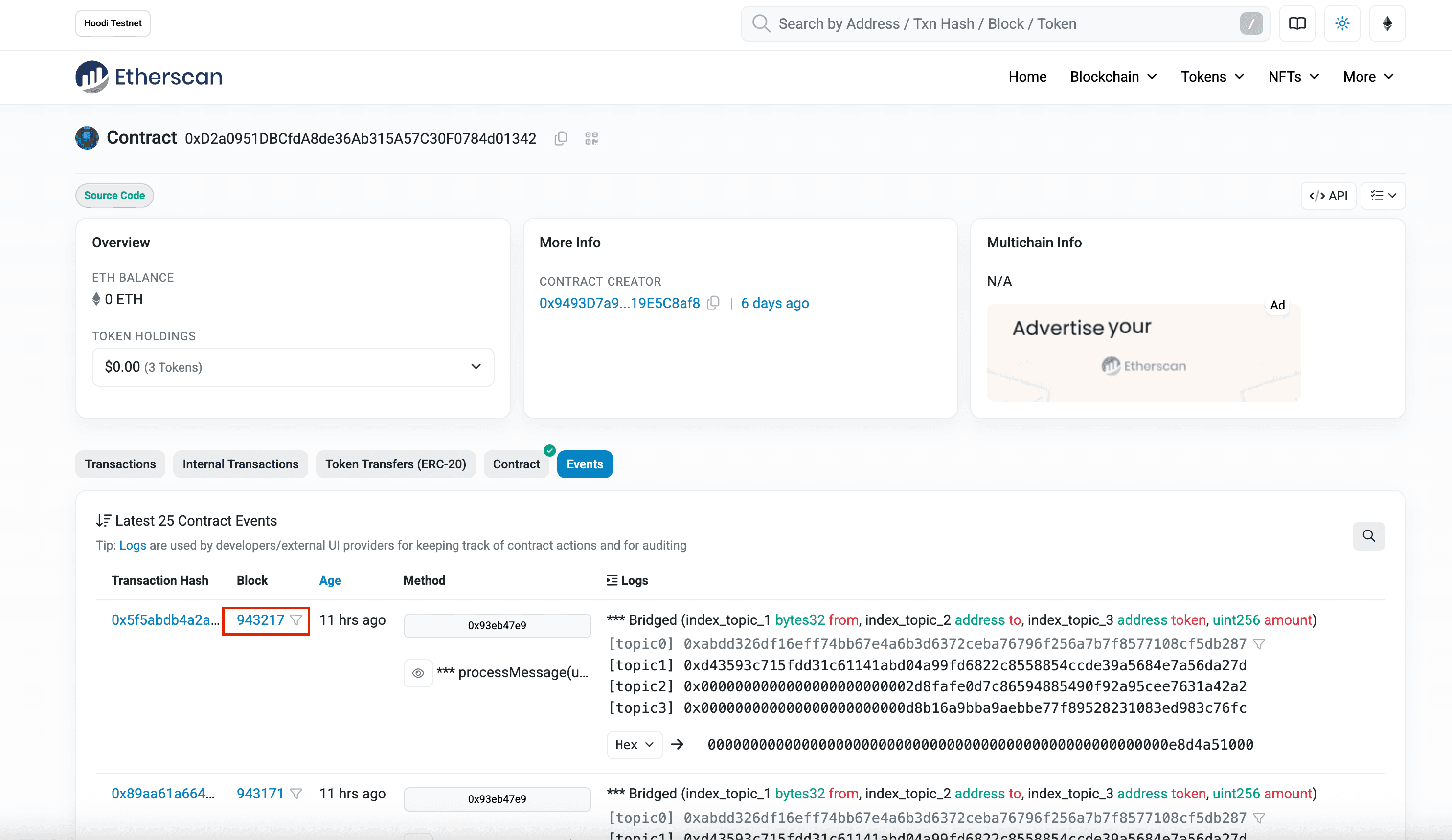
- To get
<ETH_BLOCK>go to erc20 Manager Proxy contract, find your relevant bridging transaction, and note the Ethereum block number in which the event was emitted. Use this block number as the value for--from-eth-block. <MQ_ADDRESS>: This is the MQ (Message Queue Proxy) address used by the bridge. You can find it in the documentation or in the contract’s Read/Write panel on Etherscan.<ETH_PRIVATE_KEY>: Your Ethereum fee-payer private key.
Key Security
The private key is used only locally for signing. The relayer does not transmit your sensitive data, but you should always handle private keys with extreme caution.
Transaction Finalization
Finalization and minting on Ethereum are not instant.
After relaying, the message will be processed, and wrapped tokens (e.g., WTVARA) will appear in the recipient's balance once the network confirms the transaction.
To verify the result:
- Open the WTVARA Contract (or your specific token) on Etherscan.
- Navigate to the Read Contract tab.
- Call the
balanceOffunction using the recipient's address.